
I wanted to run my own AI models at home, for writing and maintaining my Flutter Android apps, working on my websites, and helping with my homelab. The important part is that it's private. My code never leaves my network.
Why not just buy a GPU
GPUs hit a VRAM wall. A 4090 has 24GB, and the big mixture of experts (MoE) models need far more than that. Prices didn't help either: a new 4090 was around $3,100 and the 5090 was $5,000 or more.
I tested the idea first on my Razer Blade 16, which has a laptop RTX 4090 with 16GB. It managed about 100 tok/s on Llama 3.1 8B, which is good, but 16GB caps the size of the model you can load.
So I went a different way and pre-ordered a Minisforum MS-S1 MAX P495 for $7,399. It has a Ryzen AI Max+ PRO 495 ("Gorgon Halo"), a Radeon 8065S iGPU with 40 CUs, 192GB of LPDDR5X-8533 unified memory, a 2TB SSD, dual 10GbE, and USB4 v2. I picked it over the Framework Desktop 192GB, which came to about the same price once you add a drive, and ships later.
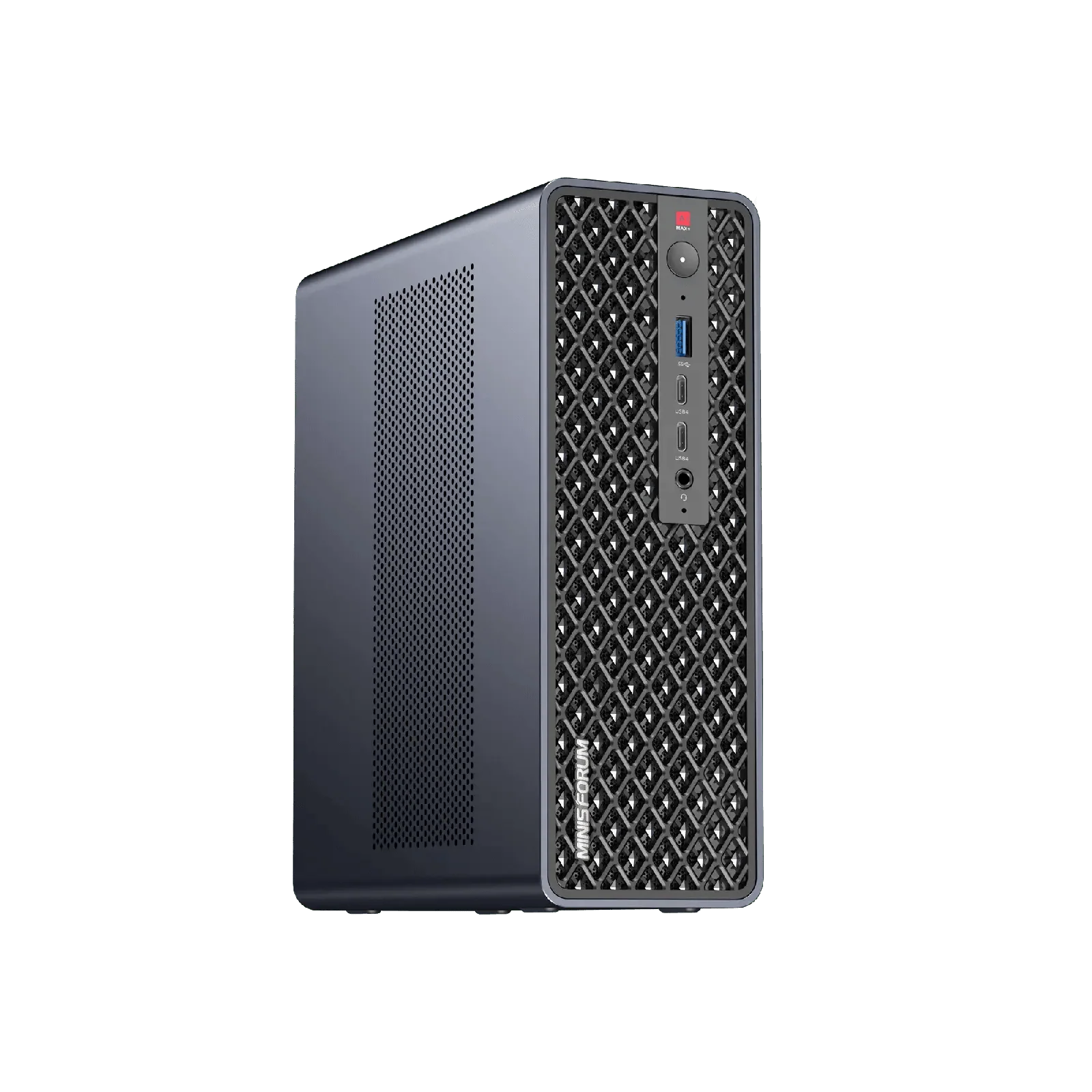
The setup
In the BIOS (version 2.03) I set the iGPU's dedicated memory (UMA) to 512MB, then let Linux raise the GPU's memory limit to 170GB with the ttm.pages_limit kernel parameter. The OS is Ubuntu Server 26.04.1 on kernel 7.0, and llama.cpp is built with the Vulkan backend.
llama-server runs as a systemd service. Only one big model fits in memory at a time, so a small script I call llm-switch swaps between them.
What went wrong along the way
Quite a bit, and it's worth writing down in case it saves someone an evening.
Ubuntu's installer only used 100GB of the 2TB disk by default. The fix was extending the LVM volume afterward.
The USB installer wasn't detected in a USB4 port. A plain USB-A port worked fine.
Vulkan quietly fell back to the CPU until I added my user to the render group. Nothing errored, it was just slow.
Big models at long context crashed the GPU with a "device lost" error. The driver's hang timer was too short for the work, and setting amdgpu.lockup_timeout=60000 fixed it. I reported it to llama.cpp as issue #30364, and someone else had hit the same crash on a 7900 XTX (#30010). I later posted a correction on my report, because the real culprit turned out to be the KV cache setting, which brings me to the biggest lesson.
The default f16 KV cache was the real bottleneck. llama-bench leaves flash attention on auto, which was already turning it on, and on Vulkan, flash attention with an f16 cache gets very slow at long context as the batch size grows. At 32k context, MiniMax managed 15 tokens per second of prompt processing with flash attention on and the f16 cache, and 49 with flash attention off. Switching to an 8-bit (q8_0) cache took it to 133. With the q8_0 cache and a batch size of 2048, prompt processing at 32k roughly doubled for MiniMax and gpt-oss compared to my first runs. DeepSeek V4 Flash didn't benefit, since its attention works differently. If your numbers look disappointing, check your settings before you blame the hardware.
Benchmarks
These are all with flash attention on, the q8_0 cache, and ubatch 2048. Everything is in tokens per second.
| Model | Prompt | Generation | Prompt @ 32k | Generation @ 32k |
|---|---|---|---|---|
| gpt-oss 120B (MXFP4) | 1499 | 55.8 | 682 | 45.1 |
| MiniMax M2.7 (IQ4_XS) | 536 | 29.5 | 174 | 17.3 |
| DeepSeek V4 Flash (IQ3_S) | 326 | 17.4 | 136 | 12.2 |
Dense models are a bad fit. Qwen3.8 27B at Q8 only does about 8 tok/s. Low-active-parameter MoE models are where this hardware shines.
I also tried ROCm. It beat my first Vulkan numbers on prompt speed, but generation at long context was less than half as fast, and once Vulkan was tuned it was ahead on both. I tried a Strix Halo tuned fork of llama.cpp too, but stock llama.cpp matched it once I had the right settings. I stayed on stock Vulkan.
Is it actually useful?
I gave the same coding task to five local models and to Claude: plan a feature in my Jellytunes Flutter app. Claude took about a minute and gave the best answer. DeepSeek V4 Flash gave the best local answer but took about 21 minutes. gpt-oss was the fastest local model at about 2.5 minutes, but its answer was shallow.
The win came from a different kind of job. I let DeepSeek build a real feature overnight using the OpenCode agent. In 27 minutes it added a "Recently added" row to my app's Home screen: the API call, repository, provider, UI, and 5 new tests. The analyzer was clean, all 48 tests passed, and it worked on my phone. That's too slow to sit and watch, but it's great as a background job.
My workflow now is Claude for hands-on interactive work, and the local box for private, background, and overnight jobs.
The rest of the stack
Chat is Open WebUI, a private ChatGPT-style interface reachable only on my LAN or over VPN, behind my existing nginx reverse proxy. Open Terminal gives the chat a sandbox to create PDFs and spreadsheets, and web search goes through a self-hosted SearXNG so nothing leaks out there either.
Image generation runs on the RTX 4090 laptop with ComfyUI (Z-Image Turbo), wired into the same chat. Uptime Kuma monitors everything, and the configs back up weekly to my TrueNAS.
What's next
A second node for a two node cluster, to run even bigger models, and letting the local model help manage the homelab itself.